Manage Parts
 Admin User
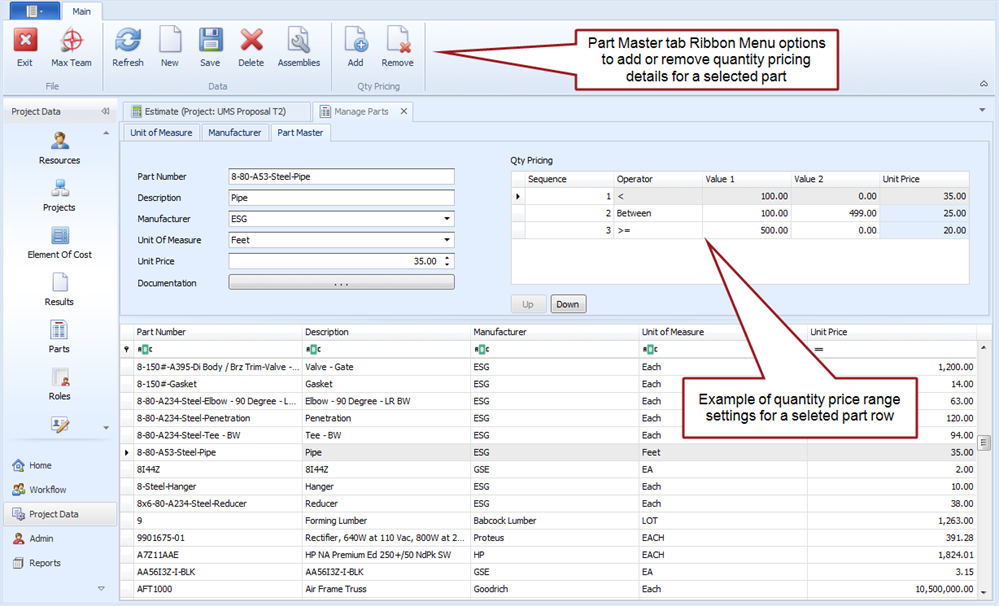
All projects share the master parts list. You can add items to the master parts list using the Manage Parts window (Project Data > Parts) or the project specific BOM window (Home > BOM). When users add parts to a project bill of material (BOM) that do not exist in the master list, the master list is automatically updated. As the master parts list is built over time, users can select items from the master parts list to quickly build out their project bills of material. You can also set quantity unit price range parameters for a part in the master parts list. When you enter a quantity for the part in a project's bill of material (BOM), the unit price in the BOM reflects the price range parameters set in the master parts list.
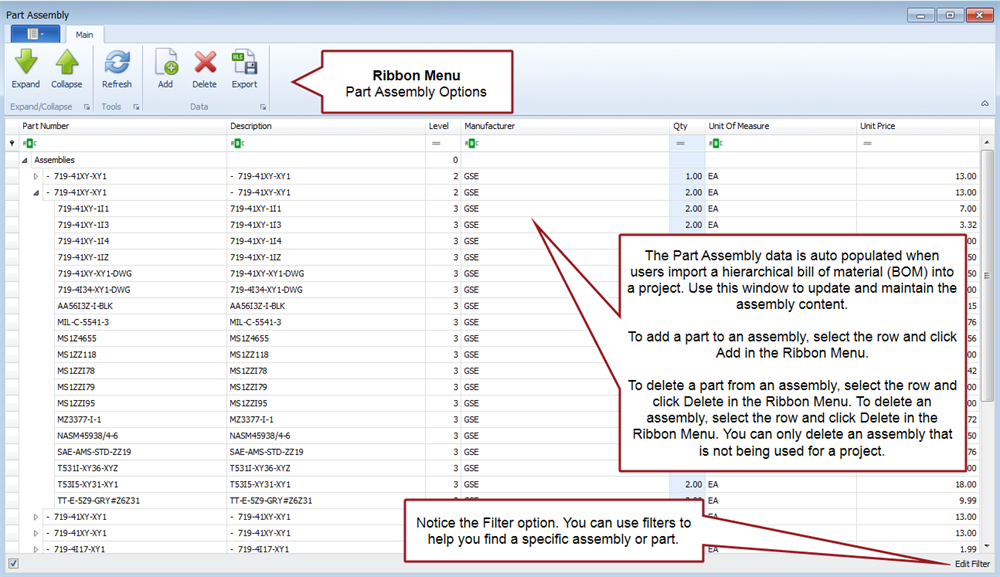
In addition to the master parts list is a list of assemblies all projects share. An assembly groups a set of individual parts into a hierarchical structure to create a larger material component. For example, a hardware component may be made up of a group of printed circuit boards and each circuit board is made up of a set of microchips. Assemblies are automatically added to the master list when users create a project specific assembly or import a hierarchical bill of material into a project. This makes it easy for other users to select an assembly and identify the number of assemblies they need for their project. Changing the number of assemblies automatically determines the number of individual parts needed for the project. You can also maintain the master list of assemblies in the Manage Parts window such as adding or deleting parts.
 Implementation Tips
- At a minimum, you may want to create a common list of units of measure and approved manufacturers for the master parts list. You may want to routinely update unit prices as applicable to ensure new projects are using the latest pricing data. As applicable, you may also want to do routine maintenance of assembly parts and quantities. Once users copy the part or assembly information into their project, that data becomes specific to that project.
- The master parts list uses four key fields to uniquely identify a part. This includes the Part Number, Description, Manufacturer, and Unit of Measure.
- Establish a convention for defining parts, particularly when you have more than one manufacturer of a part. You may have a standard you follow to uniquely identify part numbers internally regardless of the supplier. Or the part number may be specific to the manufacturer. Other internal systems such as an manufacturing/enterprise resource planning (M/ERP) system may determine the part numbering convention.
What do you want to do?
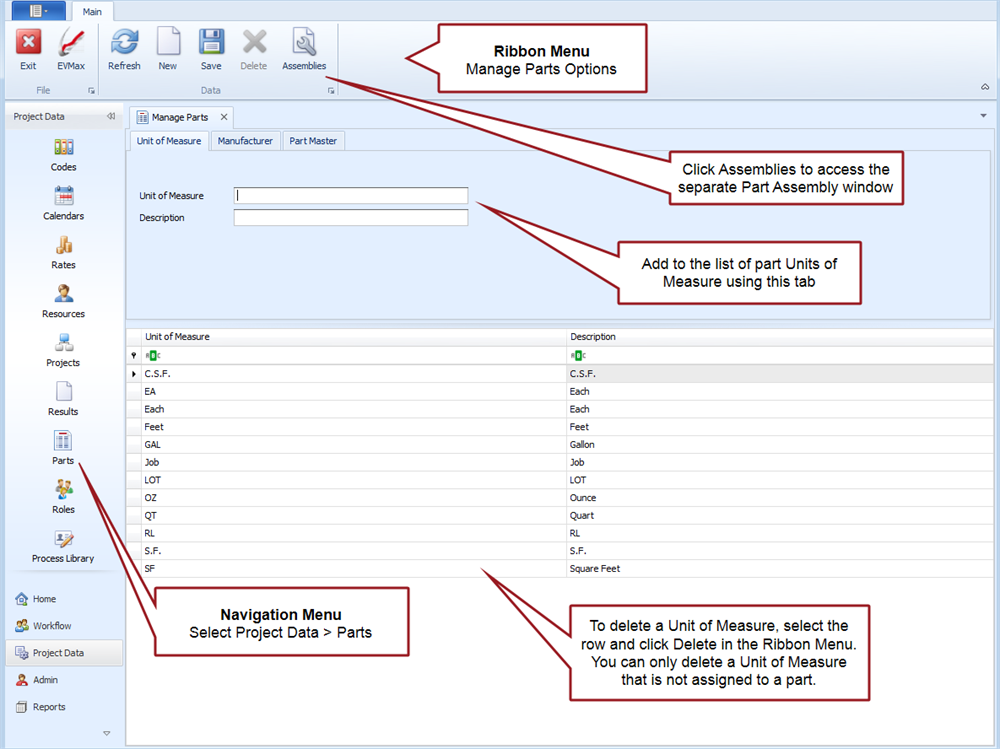
- Add Part Units of Measure. This topic also discusses deleting a unit of measure entry.
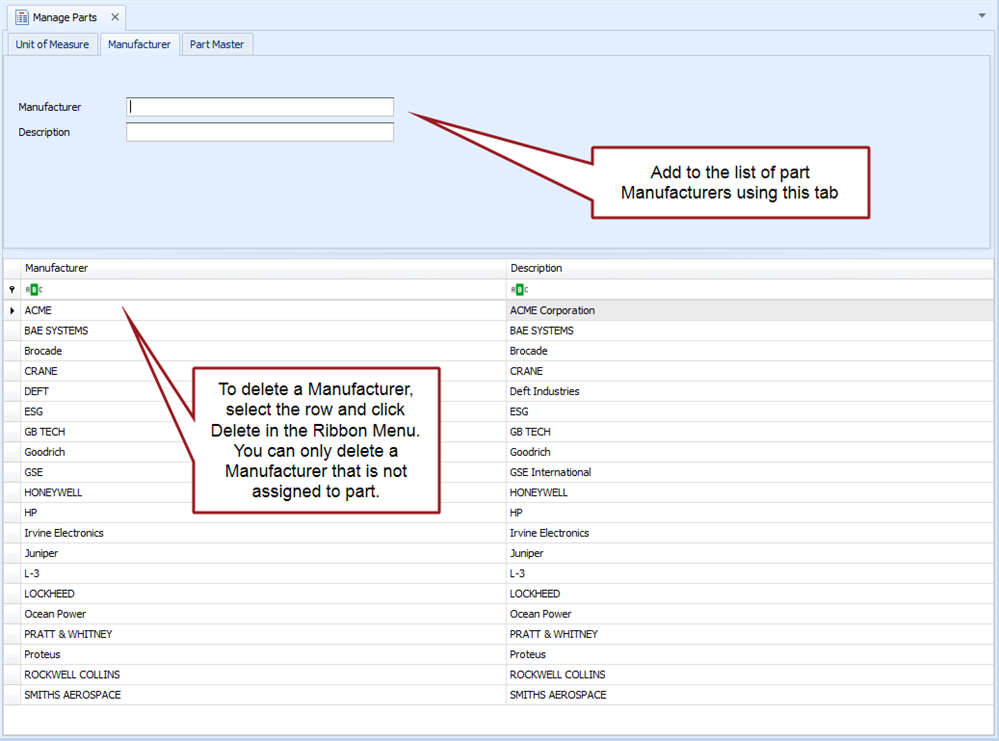
- Add Part Manufacturers. This topic also discusses deleting a manufacturer.
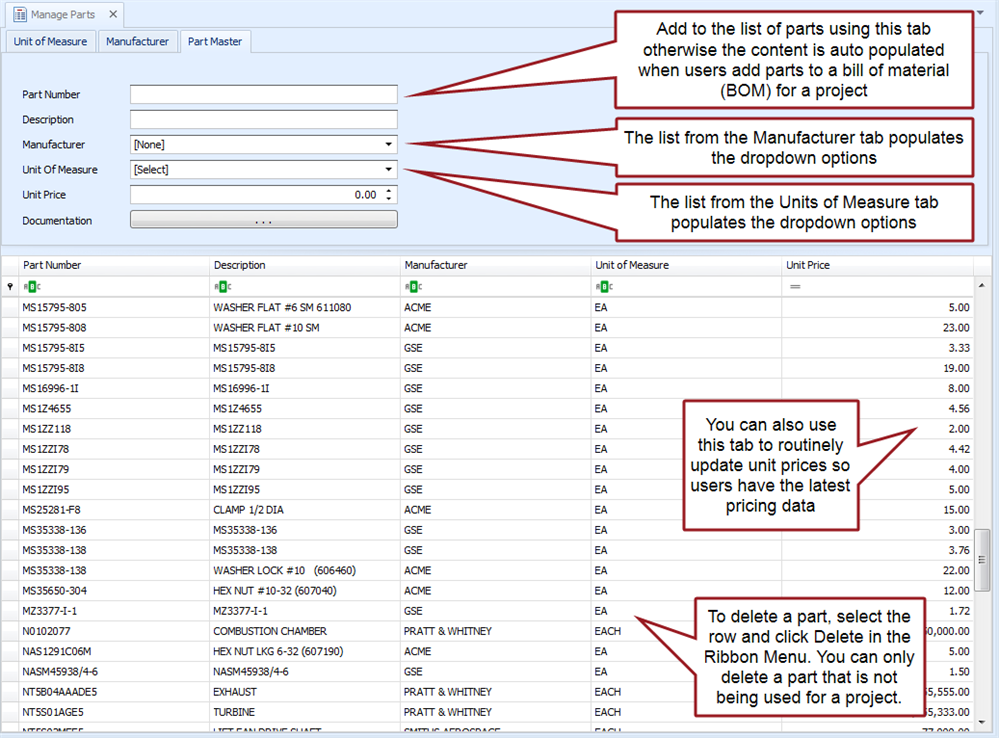
- Add Parts to Master List. This topic also discusses editing a unit price for a part and deleting a part.
- Add Part Quantity Pricing.
- Add Parts to an Assembly.
Manage Parts Tab
Main tab menu options, Units of Measure tab
Manufacturer tab
Part Master tab
Part Master tab, Part Quantity Pricing
Part Assembly window